Google Makes It Easier to Get Reviews with Built-In QR Codes
Google just rolled out a small but powerful update to Business Profiles: the ability to generate a custom QR code that links directly to your review page.
What does this mean for your business? More opportunities to collect reviews—fast. You can now:
- Print the QR code on signage, receipts, or business cards
- Display it at checkout or service areas
- Add it to follow-up emails or texts
When customers scan the code, they’re taken straight to the review form—no extra clicks, no confusion.
It’s a great way to make leaving a review easier than ever, especially for local businesses that rely on strong Google presence to drive leads.
Truvolv Tip: Download your custom QR code by logging into your Google Business Profile, select Home tab, click “Ask for Reviews.”
Need help? We’re happy to guide you through it, contact your Account Manager for assitance today!
Recent Posts
Many home improvement companies assume that if leads are slowing down, they need to spend more on marketing. More Google Ads. More SEO. More social media. More direct mail. While generating demand is important, there's another question worth asking first:
Is your website converting the opportunities you're already creating?
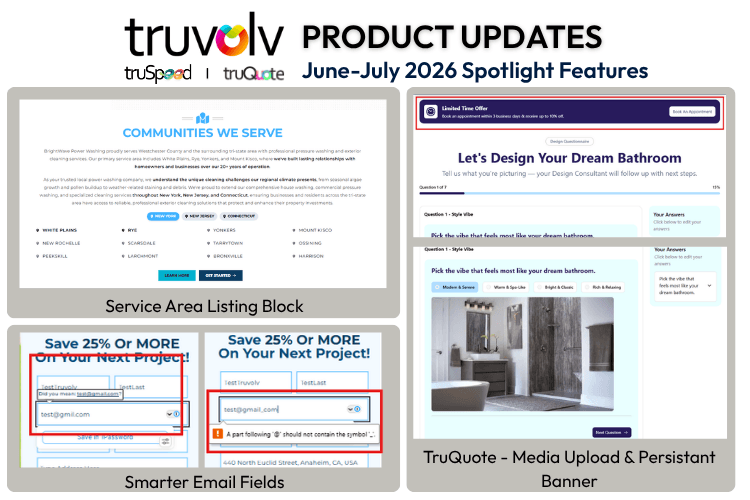
Smarter Email Fields
New "Service Areas Listing" Block
Adding Media Uploads to Questions (TruQuote)
Offer Banners Across Calculator Steps (TruQuote)
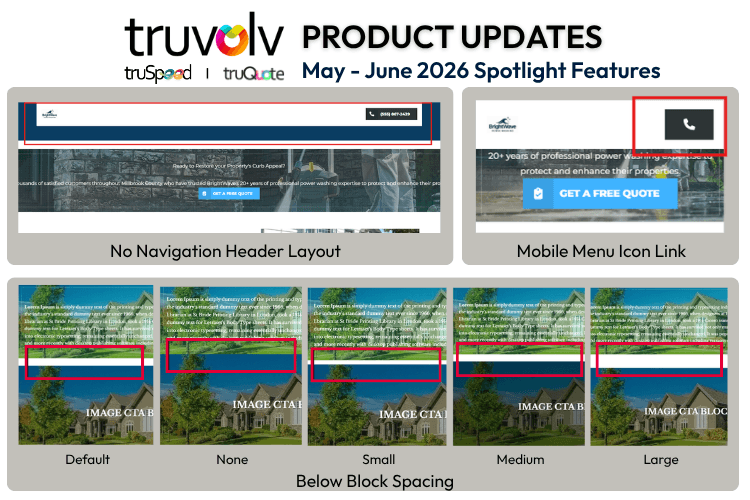
No Navigation Header Layout
Mobile Menu Icon Link
Below Block Spacing (Part 1)
Trash & Version History Expansion (Soft Delete)